Hash模式和History模式的区别
不管哪种模式,前端路由都是客户端路由的实现方式,也就是当路径发生变化时,不会向服务器发送请求,是利用js监视路径的变化。然后根据不同的地址渲染不同的内容,如果需要服务器内容,会发送Ajax请求来获取。
表现形式的区别
-
hash 模式
https://music.163.com/#/discover/toplist 地址中会存在 # 号
-
history 模式
https://music.163.com/discover/toplist 地址中没有# 类似于普通的地址,但是需要服务端配置支持
原理的区别
-
hash 模式是基于锚点, 以及onhashchange 事件
-
history 模式是基于 HTML5 中的 History API
-
history.pushState() IE10 以后才支持
-
history.replaceState() \
History 模式的使用
-
History 需要服务器的支持
-
单页应用中,如果刷新页面,会向服务器发起请求,而服务器不存在这样的地址就会返回找不到该页面从而出现404
-
在服务端应该除了静态资源外都返回单页应用的 index.html
node 环境下支持 history
在 node 环境下,启用对history模式的支持可以通过 connect-history-api-fallback 这个中间件来完成
const history = require('connect-history-api-fallback') const express = require('express') const app = express() app.use(history())
Nginx 下支持 history
-
从官网下载 nginx 的压缩包
-
把压缩包解压到 c 盘根目录,c:\nginx-1.18.0 文件夹
-
修改 conf\nginx.conf 文件
运行nginx服务器基本指令
启动
start nginx
重启
nginx -s reload
停止
nginx -s stop
location / { root  html; index  index.html index.htm; #新添加内容
     #尝试读取$uri(当前请求的路径),如果读取不到读取$uri/这个文件夹下的首页
     #如果都获取不到返回根目录中的 index.html
     try_files $uri $uri/ /index.html; }
VueRouter 两种模式的实现原理
Hash 模式
-
URL 中 # 后面的内容作为路径地址
-
监听 hashchange 事件
-
根据当前路由地址找到对应组件重新渲染
History 模式
-
通过 history.pushState() 方法改变地址栏
-
监听 popstate 事件
-
根据当前路由地址找到对应组件重新渲染
实现思路
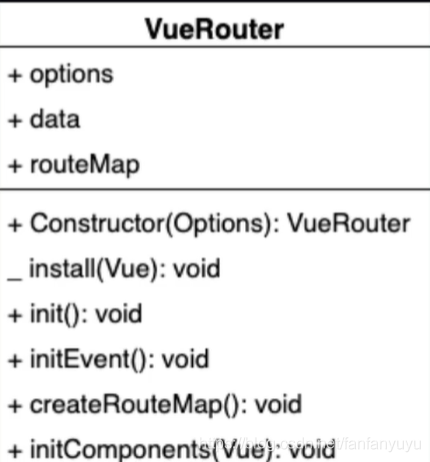
从上图,可以大致了解一下 VueRouter 这个类中的结构:
上半部分是属性,下半部分是方法,其中+ 是实例方法,- 是静态方法。
install 是用来实现Vue.use 插件机制的方法。
VueRouter-install 方法实现
要实现install方法,首先先分析一下该方法要做的事情:
-
判断当前插件是否已经被安装
-
把Vue构造函数记录到全局变量
-
把创建Vue实例时候传入的router对象注入到所有的Vue实例上
let _Vue; export default class VueRouter { static install(Vue) { if(VueRouter.install.installed) return VueRouter.install.installed = true _Vue = Vue _Vue.mixin({ beforeCreate(){ if(this.$options.router) { _Vue.prototype.$router = this.$options.router } } }) } }
-
1
-
2
-
3
-
4
-
5
-
6
-
7
-
8
-
9
-
10
-
11
-
12
-
13
-
14
-
15
-
16
-
17
-
18
-
19
-
20
-
21
-
22
-
23
添加 VueRouter 的constructor
VueRouter 的构造函数要初始化三个属性,分别是: options、data、routeMap。
-
options 是路由的构造配置对象
-
data 应该是一个响应式的对象,其中有一个属性 current 用来记录当前我们的路由地址,这里我们该如何才能创建一个响应式的对象呢?可以使用Vue的observable方法
-
routeMap 中记录了 options里的rules,rules解析出来 会以键值对的形式存在 routeMap中 ,key 就是路由地址,value 就是路由组件
constructor(options){ this.options = options this.data = _Vue.observable({ current:'/' }) this.routeMap = {} }
createRouterMap
接下来我们来实现VueRouter类中 createRouterMap 这个方法,它的作用就是把 options 中rules 路由规则解析出来以键值对的形式存储在routeMap上。
createRouterMap() { this.options.rules.forEach(route => this.routeMap[route.path] = route.component) }
initComponents
下一步,来创建initComponents 方法,这个方法里我们要创建两个组件。分别是:RouterLink 和 RouterView
创建RouterLink 组件
let _Vue; export default class VueRouter { static install(Vue) { if (VueRouter.install.installed) return VueRouter.install.installed = true _Vue = Vue _Vue.mixin({ beforeCreate() { if (this.$options.router) { _Vue.prototype.$router = this.$options.router this.$options.router.init() } } }) } constructor(options) { this.options = options this.routeMap = {} this.data = _Vue.observable({ current: '/' }) } createRouterMap() { this.options.routes.forEach(route => this.routeMap[route.path] = route.component) } initComponents(Vue) { Vue.component('router-link', { props: { 'to': { type: String } }, template: `<a :href="to"><slot></slot></a>` }) } init() { this.createRouterMap() this.initComponents(_Vue) } }
-
1
-
2
-
3
-
4
-
5
-
6
-
7
-
8
-
9
-
10
-
11
-
12
-
13
-
14
-
15
-
16
-
17
-
18
-
19
-
20
-
21
-
22
-
23
-
24
-
25
-
26
-
27
-
28
-
29
-
30
-
31
-
32
-
33
-
34
-
35
-
36
-
37
-
38
-
39
-
40
-
41
-
42
-
43
-
44
-
45
-
46
用自己的VueRouter 替换掉官方的运行后,发现报错
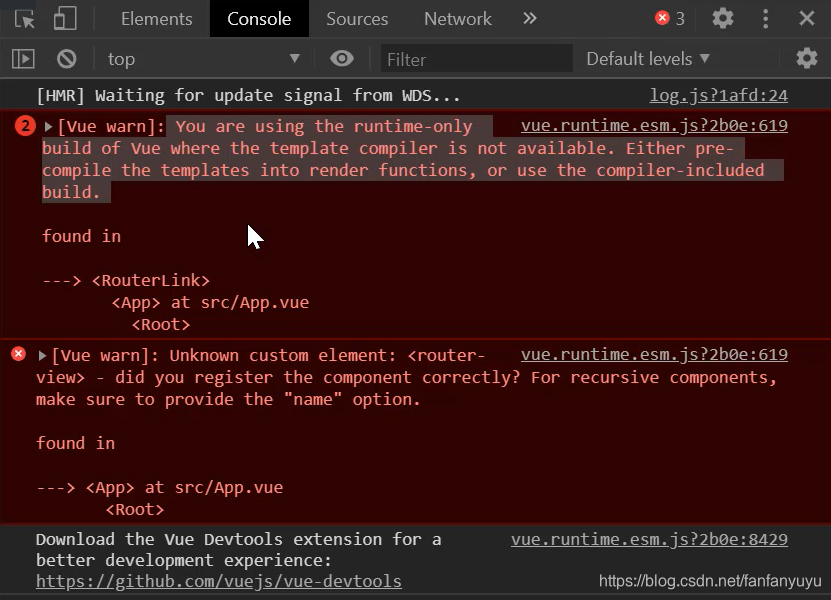
报错的意思是,运行时版本的Vue 不支持 tempalte 模板,需要打包的时候提前编译。
如果要让我们的template被支持可以使用完整版的Vue,完整包包含运行时和编译器,体积比运行时版本大10k左右,程序运行的时候把模板转换成render函数
@vue/cli 自动安装的就是 运行时版本
报错的解决
第一种方案——引入完整版Vue,可以在vue.config.js中 加入配置
module.exports = { runtimeCompiler: true }
第二种方案——使用render函数替换掉tempalte
render(h) { return h('a', { attrs: { href: this.to } }, [this.$slots.default]) }
创建RouterView组件
let self = this Vue.component('router-view',{ render(h){ return h(self.routeMap[self.data.current]) } })
在routerlink中添加点击事件,修改地址
为了能够让链接成功完成跳转展示组件,我们需要对routerlink中的a标签添加点击事件
并且要在点击的时候,把最新的path更新到router实例的current上.
我们借助于history的pushState方法 该方法会修改浏览器地址栏中的地址,但不会向服务器发起请求,并且还可以将新地址记录在历史中
Vue.component('router-link', { props: { 'to': { type: String } }, render(h) { return h('a', { attrs: { href: this.to }, on: { click: this.clickHandle } }, [this.$slots.default]) }, methods: { clickHandle(e) { history.pushState({}, "", this.to) this.$router.data.current = this.to
e.preventDefault() } } })
-
1
-
2
-
3
-
4
-
5
-
6
-
7
-
8
-
9
-
10
-
11
-
12
-
13
-
14
-
15
-
16
-
17
-
18
-
19
-
20
initEvent
现在功能基本上已经差不多了,但是还存在一个小问题,就是当我们点击浏览器的前进或者后退按钮的时候,组件不能实现切换展示,主要思路就是通过添加popstate监听地址变化,下面我们来完善该功能
initEvent(){ window.addEventListener("popstate",()=>{ this.data.current = window.location.pathname }) }
完整代码
let _Vue; export default class VueRouter { static install(Vue) { if (VueRouter.install.installed) return VueRouter.install.installed = true _Vue = Vue _Vue.mixin({ beforeCreate() { if (this.$options.router) { _Vue.prototype.$router = this.$options.router
console.log(this.$options.router.init); this.$options.router.init() } } }) } constructor(options) { this.options = options this.routeMap = {} this.data = _Vue.observable({ current: '/' }) } createRouterMap() { this.options.routes.forEach(route => this.routeMap[route.path] = route.component) } initComponents(Vue) { Vue.component('router-link', { props: { 'to': { type: String } }, render(h) { return h('a', { attrs: { href: this.to }, on: { click: this.clickHandle } }, [this.$slots.default]) }, methods: { clickHandle(e) { history.pushState({}, "", this.to) this.$router.data.current = this.to
e.preventDefault() } } }) let self = this Vue.component('router-view', { render(h) { return h(self.routeMap[self.data.current]) } }) } init() { this.createRouterMap() this.initComponents(_Vue) this.initEvent() } initEvent() { window.addEventListener("popstate", () => { this.data.current = window.location.pathname }) } }
转自:csdn 作者:Holyforsaken_FHC
蓝蓝设计( www.lanlanwork.com )是一家专注而深入的界面设计公司,为期望卓越的国内外企业提供卓越的UI界面设计、BS界面设计 、 cs界面设计 、 ipad界面设计 、 包装设计 、 图标定制 、 用户体验 、交互设计、 网站建设 、平面设计服务



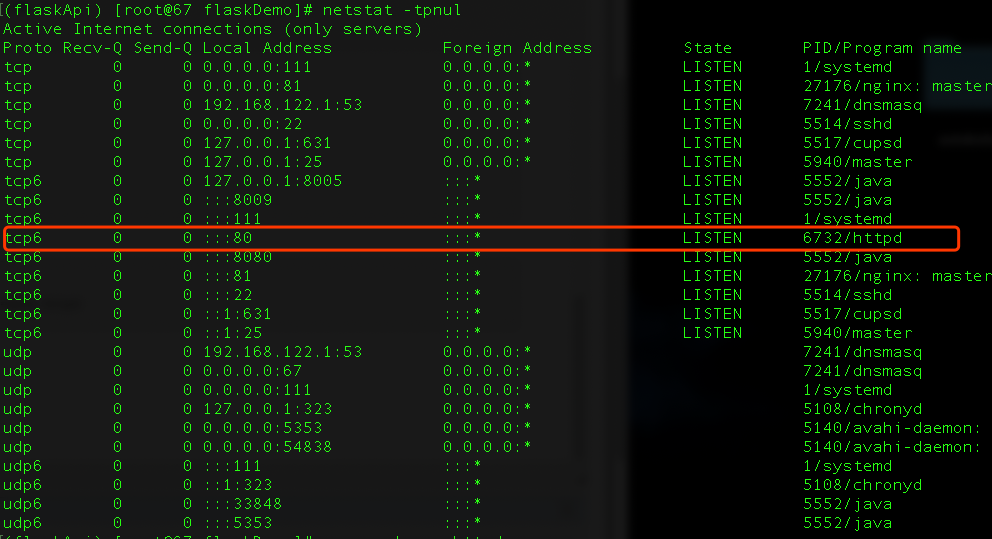
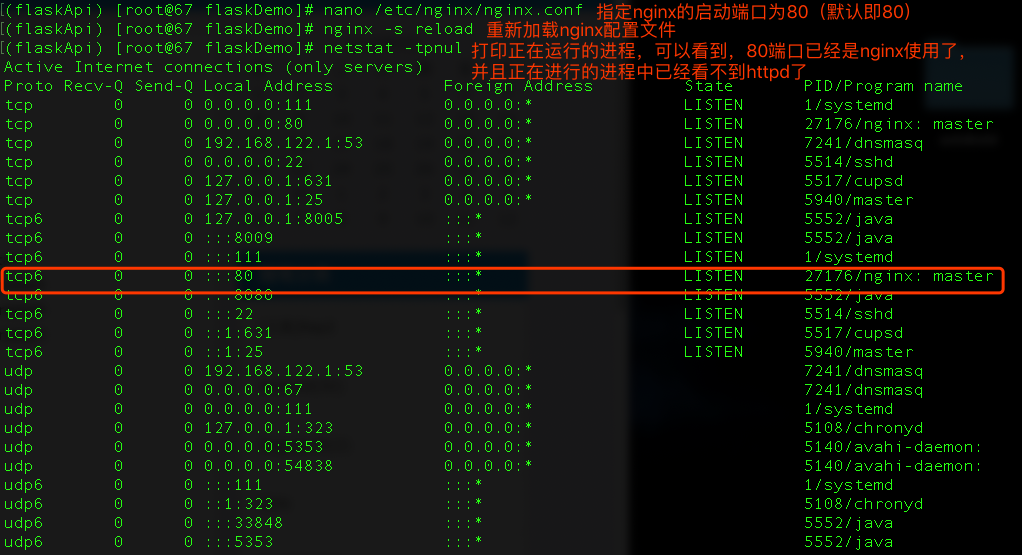


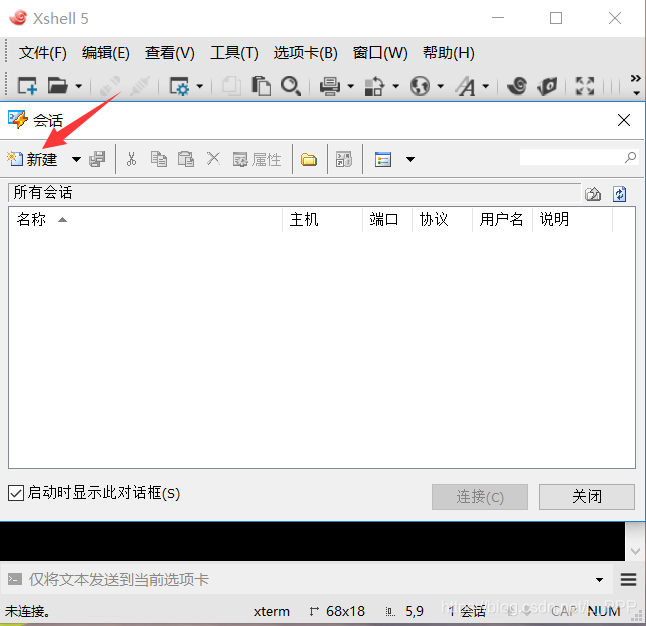

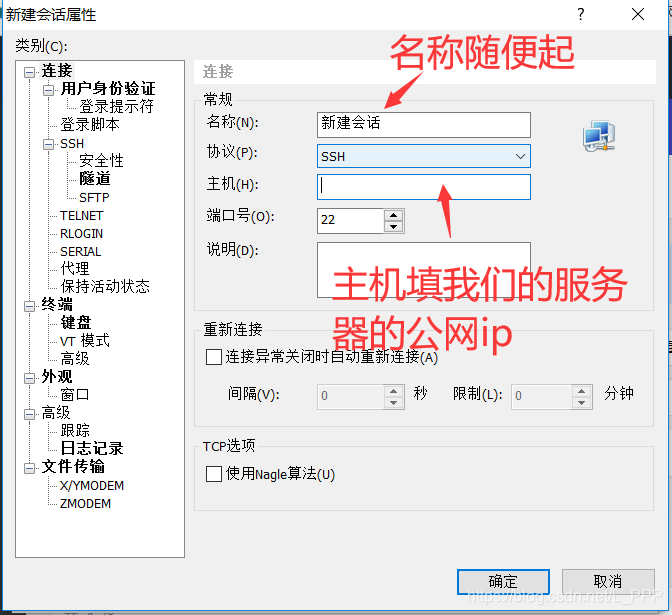
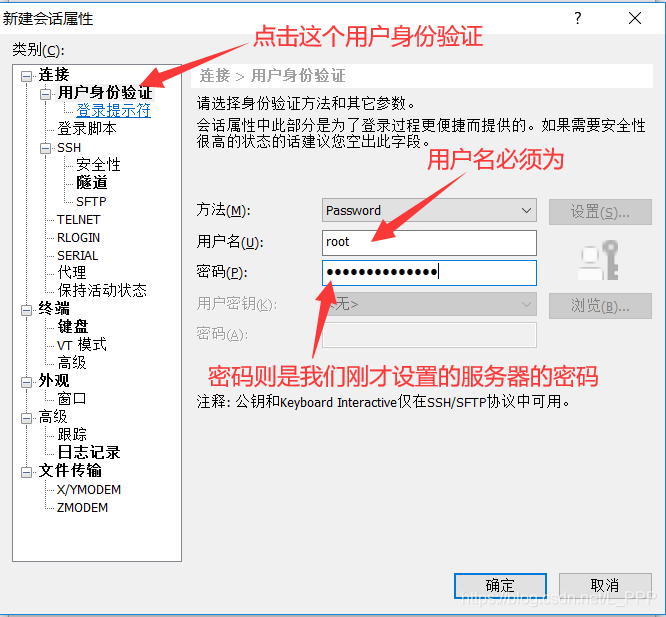
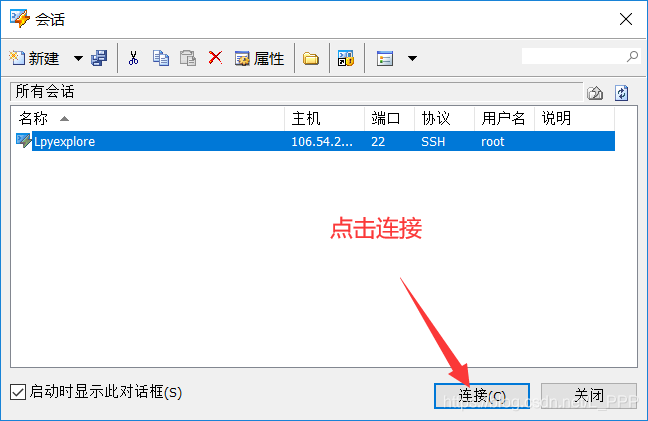




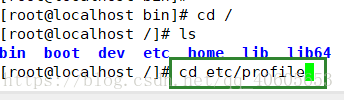
 12、修改tomcat的端口号,目录:在/opt/apache-tomcat-8.0.30/conf,用vi server.xml 修改端口号